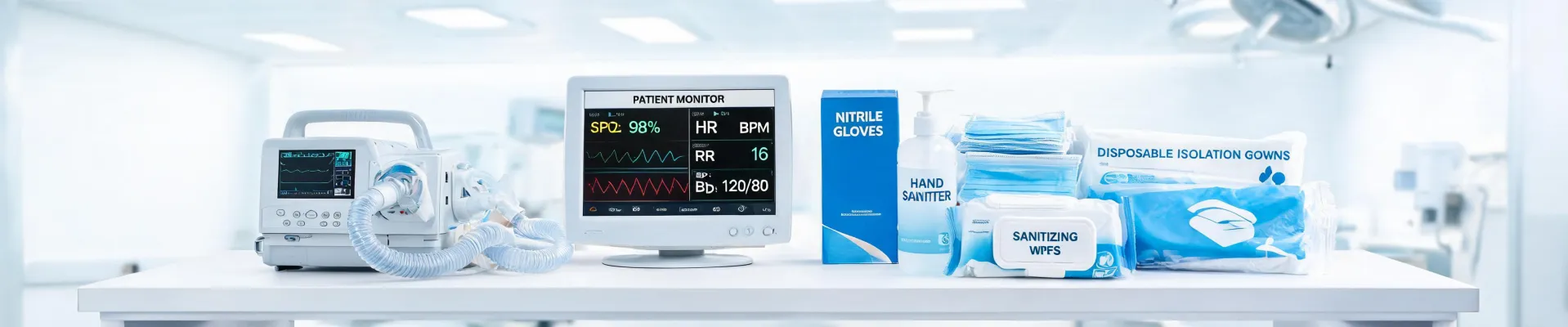
If you are here because you typed what does a patient monitor measure into a search bar, you are in the right place. The answer is straightforward: most of the monitors we buy are multi-parameter, so they measure heart rate, blood pressure, oxygen saturation, respiratory rate, and temperature. Some add capnography, and some add advanced hemodynamic calculations. The spec sheets go on for pages.
But here is the thing I have learned in five years of buying medical equipment for a 340-bed facility: the spec sheet is the least reliable part of the purchase.
I am the buyer who signs off on roughly $4 million a year in equipment and consumables, from power wheelchairs to patient transfer devices to the monitors at the bedside. I report to operations and finance, which means I have been in the room when the Excel model says one thing and the nurses on the unit say another. The Excel model is often wrong.
The Surface Answer: What Does a Patient Monitor Measure?
Let us get the obvious stuff out of the way. A standard multi-parameter patient monitor typically gives you:
- Heart rate and ECG
- Non-invasive blood pressure
- Oxygen saturation, or SpO2
- Respiratory rate
- Temperature
That is what the FAQ pages say. It is also what every vendor brochure says. A power wheelchair comes with its own list, which includes battery range, seat width, and turning radius. A patient transfer device has a list too: lift capacity, sling compatibility, height adjustment. All useful. All necessary. None of it tells you whether the device will work in your building on Tuesday.
To be fair, the basics are not optional. If a monitor cannot reliably measure an SpO2 waveform, nothing else matters. But in 2025, accuracy at that level is table stakes. The vendor should not charge you extra for it.
The Hidden Problem: Devices Don't Live on a Spec Sheet
I did not fully understand the value of interoperability until the spring of 2023. We bought 12 refurbished monitors at a price that looked great in the budget review. They measured all the right things. I checked the spec sheet, and everything was there. But they could not talk to our electronic medical record. The team had to document vitals on paper and then enter them later. Same-day discharges became two-day discharges. I had to explain to the chief medical officer why we had saved $14,000 on hardware and spent 300 extra staff hours a month on charting. There was no line item for that in the model.
What I mean is that a monitor with a beautiful waveform display means nothing if the data cannot get to the nurses' station or the patient portal in a format that does not require a custom interface. If your hospital uses a portal like MyChart Hamilton Medical, families expect to see vital signs in near real time. That means the device you buy has to connect to the same data ecosystem. Otherwise, you are not buying a monitor. You are buying a very expensive clipboard.
The Integration Trap
The same logic follows for everything else. A power wheelchair might have a great turning radius, but if your facility has not planned a charging station and the proprietary battery connector means a two-week wait for a replacement, you have a $15,000 sculpture. A patient transfer device might have all the right safety certifications, but if the sling hooks do not match the ceiling lifts already in your units, your staff will quietly stop using it and go back to manual lifting.
That last one still bothers me. Before we bought the lower-priced transfer device, the upside was $3,200 in savings. The risk was staff injury and downtime. I kept asking myself: is $3,200 worth potentially losing a nurse for six weeks with a strained back? I said yes in the procurement email. Two nurses got hurt in the first month. The CFO now asks about compatibility first, and I don't blame her.
The Real Cost Isn't on the Purchase Order
Here's the uncomfortable truth: when a device doesn't fit, the cost shows up in overtime, workers' compensation, staff turnover, and cancelled procedures. It rarely shows up on the invoice.
Take the power wheelchair fiasco from 2024. The quote was 8% lower than the next vendor's, and the savings made the committee happy. But the battery charger was a custom unit, and the only trained service technician was based out of state. When the chair died in a hallway with a patient in it, maintenance couldn't diagnose the problem for hours. We ended up renting a backup chair for three days. The savings disappeared overnight, and that still doesn't count the emotional cost on the patient and the staff.
Support Is the Product
Then there was the monitor support contract decision. So glad I insisted on after-hours support for the new ICU fleet. We almost waived it to protect the budget, which would have meant waiting until Monday when a monitor started alarming at 2 a.m. on Friday. The support contract paid for itself in one weekend. (As of early 2025, at least, the response time has been consistently under 20 minutes.) Even after I signed, I second-guessed the premium. What if finance asked why we spent extra? Didn't relax until the first Monday morning when a monitor went down and the vendor was already on the phone.
I have mixed feelings about after-hours tech support premiums. On one hand, they feel like a cash grab. On the other, I have seen what happens when a monitor goes dark mid-procedure and nobody can reach the manufacturer. Maybe the premium is justified. Or maybe I just got burned enough to expect the worst.
This is why I now ask for a live call with Hamilton Medical tech support before I commit to any large order. Not a sales call. A support call. I want to hear how long it takes someone to answer, whether they can explain their own device without putting me on hold, and whether they are willing to send a test integration guide. At hamilton-medical.com, the tech support resources are easy to find: two clicks, no login wall. That is a better signal than any brochure.
Why This Is Everyone's Problem
If you are in operations, you might think this is just a procurement rant. It's not. The same principle applies to software, to HVAC, to your phone system. Devices don't exist in a vacuum. They exist in a building with aging infrastructure, overworked staff, and a per-patient revenue clock that doesn't stop when equipment doesn't work.
Under FDA 510(k) clearance, a patient monitor is reviewed as substantially equivalent to a predicate device. That is an important safety threshold. But it doesn't tell you whether the monitor will send data to MyChart Hamilton Medical or any other portal. That's not the FDA's job. It's yours. Similarly, per OSHA safe patient handling guidelines, the aim is to reduce musculoskeletal injuries among healthcare workers. A patient transfer device that doesn't fit your existing lifts works against that goal, no matter how good its lifting capacity looks on paper.
And per FTC advertising guidelines, vendors have to substantiate claims. The phrase easy to use might be substantiated by a usability study in a controlled lab. But the controlled lab doesn't have a charge nurse asking three questions while you're trying to move a patient. So take every demonstration claim with a grain of salt.
A Better Framework for Buying
I still believe in face-to-face vendor relationships. You need someone who will look you in the eye when a delivery is late. But I have also learned that efficiency wins. Hospitals that standardize workflows and demand interoperability run more surgical cases and fewer after-hours troubleshooting calls. That's not magic. It's the cumulative effect of buying things that actually work together.
Granted, standardization requires upfront work. It's easier to let each department buy whatever they like. But the long-term cost of that freedom is a maintenance nightmare.
Here's what I do now, regardless of category:
- Map the workflow before you map the specs. For a monitor, ask where the data goes. For a power wheelchair, ask where it charges and who services it. For a patient transfer device, ask which lifts and slings it has to work with. If the answer requires a custom project, the price just went up, even if the invoice says otherwise.
- Call tech support before you sign. If they won't talk to you until you are a customer, that's a red flag. Hamilton Medical tech support has been responsive in my experience, but the point is to test that before the equipment goes out of warranty.
- Demand train-the-trainer training. If the vendor only offers a 30-minute video, assume it's worthless. The night shift won't watch it. The CNA won't find it. A 15-minute hands-on session with a trainer who will then train others is worth more than the warranty.
- Calculate total cost, including what you don't know. Include integration, training, maintenance, and the probability of downtime. A power wheelchair with a proprietary battery is not cheap. A patient monitor with incomplete EMR connectivity is not cheap. A patient transfer device that injures your staff is not cheap.
The question what does a patient monitor measure is still worth asking. It's just not the question that matters. The real question is: who keeps this device working at 2 a.m., and how does it fit into the lives of the people who use it every day?
When I started in this role, I thought a purchase was a transaction. Now I know it's an operating change. A device is only as good as the workflow around it, and the vendor's willingness to support that workflow after the purchase order is closed. (note to self: I really should put this in the next vendor scorecard.)

Elena Varga
Elena Varga is a medical imaging systems analyst covering CT scanners, MRI systems, ultrasound platforms, digital radiography, mammography, and ophthalmic imaging equipment. She references IEC 60601-2-44 for CT safety and essential performance while examining CTDIvol, dose-length product, spatial resolution, slice thickness, field uniformity, throughput, uptime, and DICOM interoperability. Her work helps radiology leaders, medical physicists, biomedical engineers, and procurement teams compare image quality, radiation management, workflow integration, serviceability, and lifecycle cost.